
Every high-performing creative strategist has a secret weapon hiding in plain sight: a swipe file. Not a random folder of screenshots buried in your desktop. A living, breathing collection of ads that sharpens your creative instincts and feeds your next winning concept.
The problem? Most swipe files are graveyards. Hundreds of screenshots dumped into a folder, never opened again. No context, no organization, no system for turning what you saved into what you ship.
This guide will change that. We will walk through the exact process for building a Facebook ad swipe file that you will actually use, one that makes your creative research faster and your output stronger.
Why Every Creative Strategist Needs a Swipe File
Before we dig into the how, let's talk about the why.
A swipe file is not about copying. It is about pattern recognition. When you study enough high-performing ads, you start to notice the structures beneath the surface: the hook formulas, the visual rhythms, the offer framing that moves people to act.
Without a swipe file, you are starting from a blank page every single time. With one, you are starting from a foundation of proven creative patterns.
Here is what a good swipe file gives you:
- Faster ideation cycles. Instead of staring at a blank brief for an hour, you pull references in minutes.
- Better creative briefs. Show your designer or editor exactly what "good" looks like for a given concept.
- Competitive awareness. Know what your competitors are running, how their messaging evolves, and where the gaps are.
- Cross-industry inspiration. The best ideas often come from outside your vertical. A DTC skincare hook might be the perfect structure for your SaaS free trial ad.
If you are serious about creative strategy, a swipe file is not optional. It is infrastructure.
Step 1: Know Where to Find Ads Worth Saving
The first step is sourcing. You need a steady pipeline of ads flowing into your field of vision. Here are the best places to look.
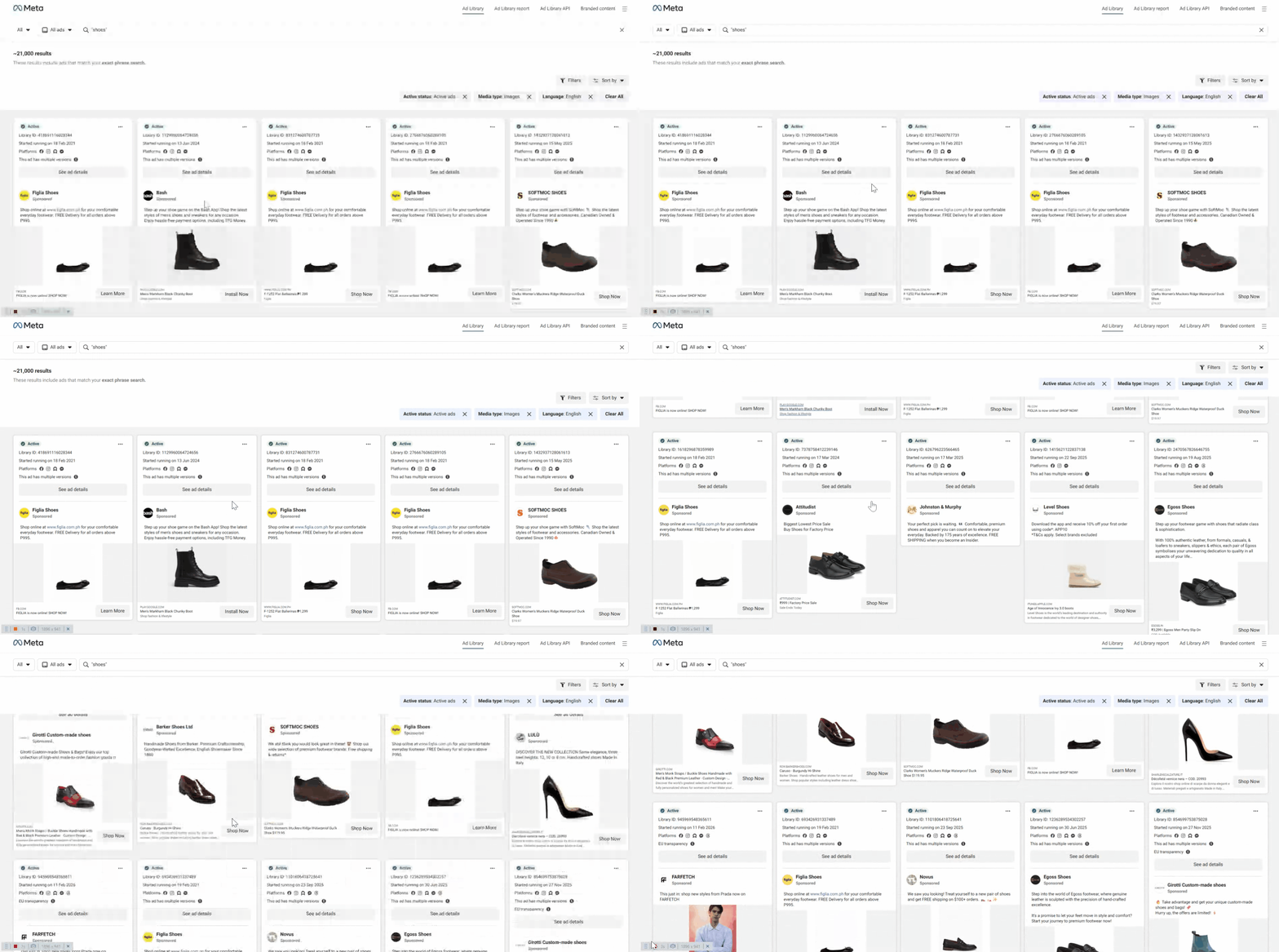
Meta Ad Library
The Meta Ad Library is the most obvious starting point, and for good reason. It is free, comprehensive, and lets you search any brand running ads on Facebook or Instagram.
Start by searching your direct competitors. Then branch out to adjacent industries and brands you admire. Pay attention to ads that have been running for a long time, as longevity is one of the strongest signals of performance.
A few tips for getting more out of the Ad Library:
- Filter by country and platform to narrow results
- Sort by start date to find the freshest creative
- Look for brands running multiple variations of the same concept (a sign they are scaling a winner)
- Check back weekly to track how competitors evolve their messaging
Social Scrolling (Your Own Feed)
Some of the best swipe file additions come from ads that stop you mid-scroll. If an ad catches your attention as a consumer, it is doing something right.
The challenge is capturing these in the moment. You can screenshot them, but you lose context fast. Tools like the Glued Chrome extension let you save ads directly from your feed with one click, preserving the full creative, copy, and metadata so you can reference them later with full context.
Competitor Feeds and Landing Pages
Do not limit yourself to ad platforms. Follow competitors on social media. Visit their landing pages. Sign up for their email lists. The messaging patterns in their organic content often mirror what they are testing in paid.
Ad Inspiration Platforms
Platforms like Foreplay, AdSpy, and Glued's Discover feature let you browse curated ad libraries and filter by industry, format, or platform. These are especially useful when you need inspiration outside your usual competitive set.
Step 2: Define Your Swipe File Categories
Saving ads without a system is just hoarding. You need categories that make retrieval easy and analysis possible.
Here is a category framework that works well for most creative strategists:
By Ad Format
- Static image ads
- Video ads (short-form under 15s, mid-form 15-60s, long-form 60s+)
- Carousel ads
- UGC-style ads
- Motion graphics and animated ads
By Hook Type
- Problem-agitation hooks ("Tired of...")
- Social proof hooks ("10,000+ customers...")
- Curiosity hooks ("Nobody talks about this...")
- Contrarian hooks ("Stop doing X...")
- Direct benefit hooks ("Get X in Y days")
By Funnel Stage
- Top of funnel (awareness, cold audiences)
- Middle of funnel (consideration, retargeting)
- Bottom of funnel (conversion, urgency-driven)
By Industry or Vertical
- Ecommerce / DTC
- SaaS / B2B
- Finance / Fintech
- Health and wellness
- Education and info products
By Creative Element
- Strong headlines
- Compelling CTAs
- Effective use of color and contrast
- Persuasive body copy
- Interesting layouts or visual compositions
You do not need all of these categories on day one. Start with the ones most relevant to your current work and expand over time.
Step 3: Build Your Organizational System
Now that you know what to save and how to categorize it, you need a home for all of it.
Option A: Manual Approach
The simplest version is a folder structure on Google Drive or Notion. Create top-level folders for each category, and add screenshots with a naming convention that includes the brand, date, and a brief description.
This works, but it does not scale well. Search becomes painful once you pass a few hundred entries, and you lose ad metadata like the original copy text and CTA.
Option B: Dedicated Swipe File Tools
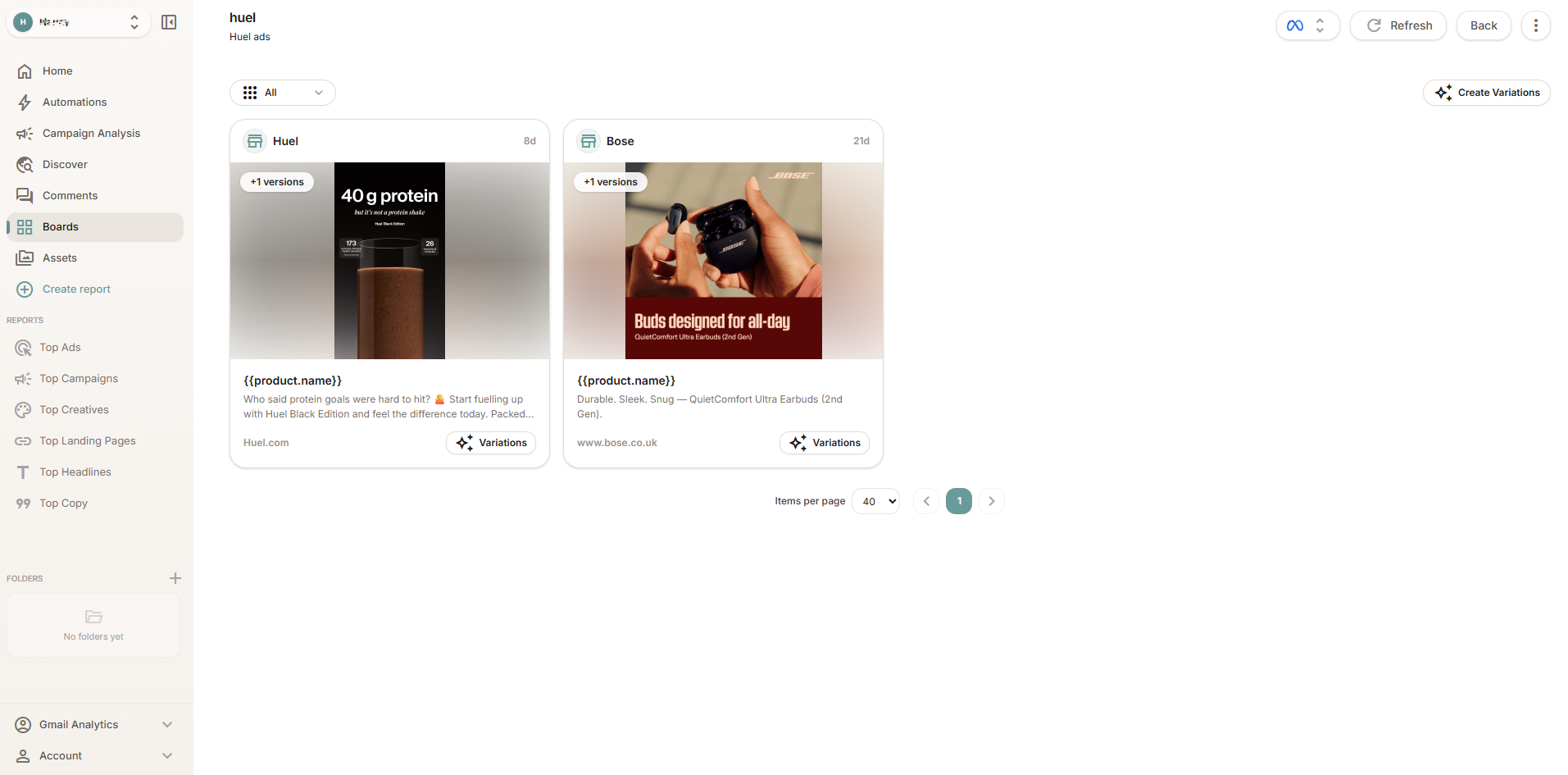
Purpose-built tools make this significantly easier. Platforms like Glued let you save ads into organized boards, tag them by category, and share them with your team. The advantage is that you keep the full ad context (creative, copy, CTA, landing page URL) instead of just a screenshot.
If you work on a team, shared boards become especially valuable. Your entire creative team can contribute to and pull from the same swipe file, which means better briefs and faster alignment.
Tips for Staying Organized
No matter which tool you use, follow these principles:
- Tag consistently. Decide on your tagging taxonomy upfront and stick to it.
- Add notes when you save. Future you will not remember why you saved an ad three months ago. Write a quick note: "Great hook structure" or "Clean UGC transition at 0:03."
- Review and prune quarterly. A swipe file that grows forever becomes useless. Remove outdated entries and archive anything no longer relevant.
- Make it collaborative. If you work with other creatives, a shared swipe file multiplies its value.
Step 4: Analyze What You Save (Do Not Just Collect)
This is the step that separates a swipe file that converts from one that collects dust. Saving is easy. Analyzing is where the value lives.
For every ad you save, try to answer these questions:
- What is the hook? How does the ad grab attention in the first one to three seconds (video) or the first line of copy (static)?
- What is the offer structure? Is it a discount, a free trial, a value-add bundle, a risk reversal?
- Who is the target audience? What pain points, desires, or objections does the ad address?
- What is the visual strategy? Is it UGC, polished studio, lo-fi, text-heavy, image-forward?
- What is the CTA? How does the ad move people to the next step, and how aggressive or soft is the ask?
Some strategists keep a simple analysis template alongside their swipe file. Even a few bullet points per ad compound into a deep understanding of creative patterns over weeks and months.
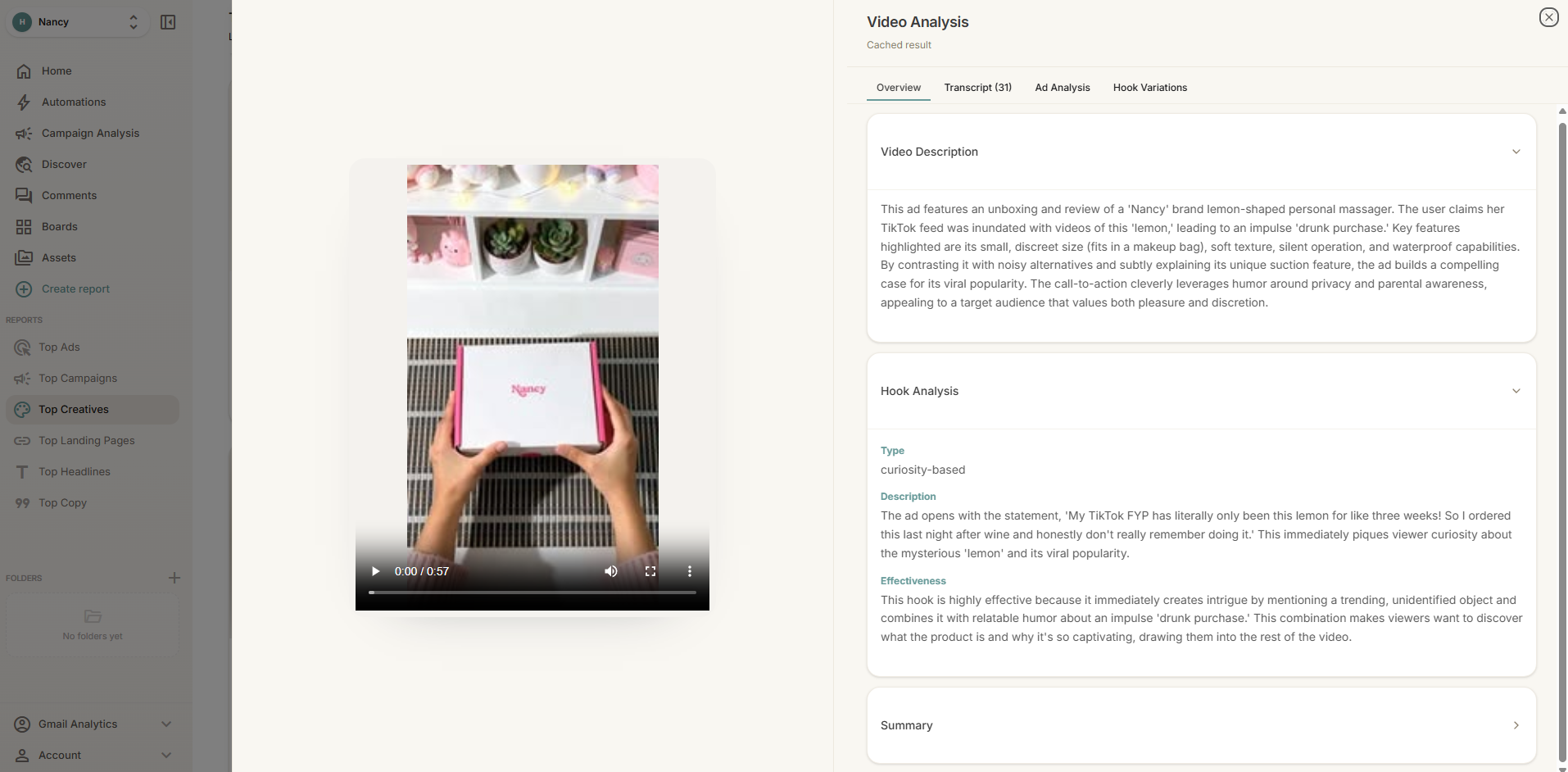
AI tools can accelerate this. Glued, for example, offers AI-powered creative analysis that breaks down hooks, layouts, and positioning automatically, which saves time when you are reviewing a large batch of saved ads.
Step 5: Turn Your Swipe File Into Action
A swipe file is only as good as the work it produces. Here is how to close the loop between research and execution.
Feed Your Creative Briefs
When you start a new campaign or creative sprint, begin by pulling five to ten reference ads from your swipe file. Use them to illustrate the tone, format, and hook style you are going after. This gives your designers and editors a concrete starting point instead of abstract direction.
Run "Swipe File Reviews" With Your Team
Set a recurring 30-minute meeting where your creative team reviews the best recent additions to your shared swipe file. Discuss what makes each ad effective and brainstorm how to adapt those patterns for your brand.
Build a Hook Library
Over time, extract the hook formulas you see repeated across winning ads. Create a running document of hook templates that your team can reference when writing new ad copy. For example:
- "[Number] reasons why [audience] is switching to [product]"
- "I was skeptical until [specific result]"
- "The [industry] secret that [big brands] don't want you to know"
- "POV: You finally [desired outcome]"
Track What Inspires Winners
When a campaign performs well, trace it back to the swipe file references that inspired it. This feedback loop sharpens your taste over time. You start to recognize not just what looks good, but what patterns lead to results.
Common Mistakes to Avoid
Even with a solid system, there are a few pitfalls to watch for:
- Saving too broadly. If everything goes in the swipe file, nothing stands out. Be selective. Save ads that genuinely teach you something.
- Never revisiting saved ads. A swipe file you never open is a waste of time. Build review sessions into your workflow.
- Copying instead of adapting. The goal is to understand the structure and apply it to your own brand voice and audience. Direct imitation rarely works across different products and markets.
- Ignoring ads outside your industry. Some of the most creative breakthroughs come from applying patterns from unrelated verticals.
Start Building Your Swipe File Today
You do not need a perfect system to start. Open the Meta Ad Library, search a competitor, and save three ads that catch your eye. Add a note about what makes each one effective. Do this daily for two weeks and you will already have a stronger creative foundation than most teams.
If you want to accelerate the process, tools like Glued can help you discover, save, organize, and analyze ads in one place, turning what used to be scattered screenshots into a structured creative research workflow.
The best creative strategists are not the ones with the most raw talent. They are the ones with the best inputs. Your swipe file is how you build those inputs, one great ad at a time.
Ready to build a smarter swipe file? [Try Glued free](https://glued.me) and start saving, organizing, and analyzing ads that fuel your next winning campaign.